Nine steps, three apps, zero re-typing.
Follow one item from the supplier to the customer's door and back to the next order. Every handoff happens on its own; your team only steps in where a decision needs a person.
- 1 Supplier
- 2 Purchase request
- 3 Purchase order
- 4 Goods receipt
- 5 Stock in
- 6 Online store
- 7 Customer order
- 8 Pick · pack · ship
- 9 Stock updated
- ↻ Low stock starts the next purchase request.
One test mug, all the way round, in three minutes.
Chapters
- 0:00 Intro
- 0:05 Stock at zero
- 0:12 The store raises a purchase request
- 0:27 Approve the request
- 0:33 Add the supplier
- 0:46 Create and issue the purchase order
- 1:07 Receive the delivery
- 1:18 Stock in, and back on sale
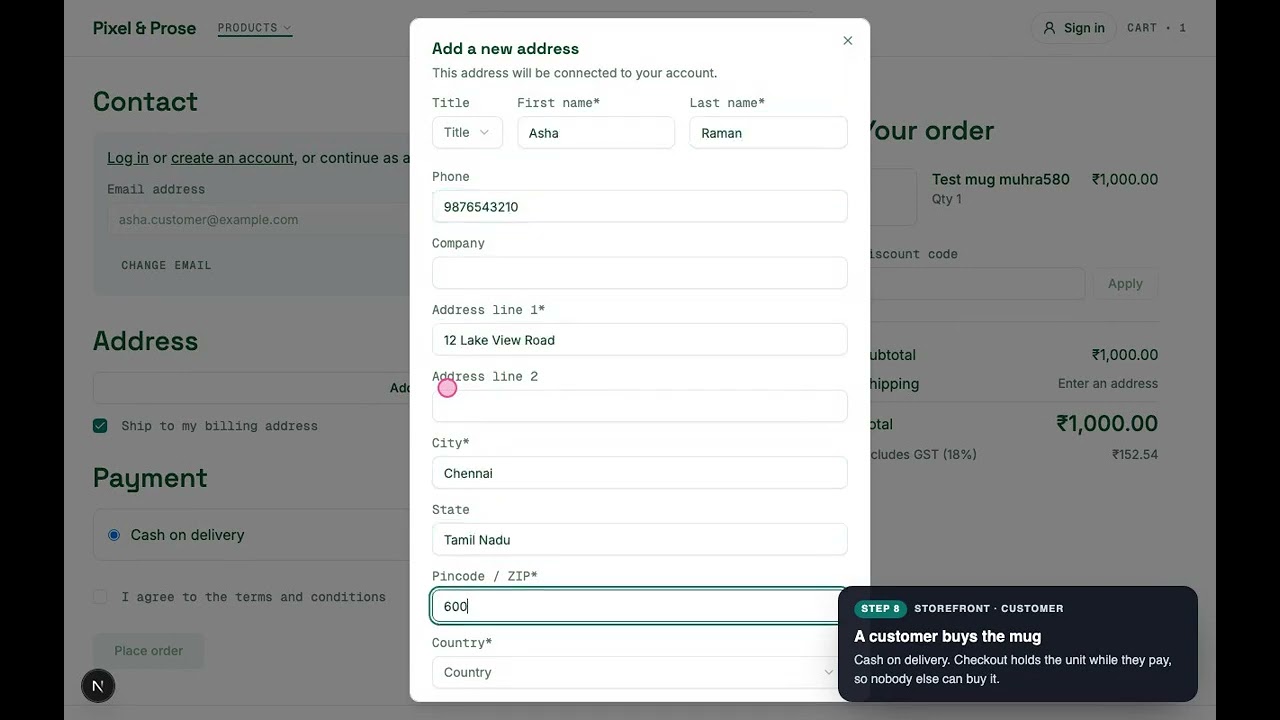
- 1:31 A customer orders (cash on delivery)
- 1:58 Held for the order, on the pick list
- 2:12 Pack and book the courier
- 2:23 Shipped: stock leaves the shelf
- 2:35 Delivered and paid
- 2:43 And round again
Buy, stock, sell, and close the loop.
Follow one item from the supplier to the customer's door and back to the next order. At every step, the green arrow marks what moves on to the next without anyone typing it. Your team only steps in where a decision needs a person.
AI agent works in the background under your policy and asks a person where money or stock moves. AI assistant is one you or your customers talk to. On your own AI keys.
Buy
Makeships Procurement
Suppliers, requests, approvals and purchase orders under your rules.
- 1
Supplier
AI agentVendors, contacts, contracts and performance in one place. Run RFQs, compare quotes, or order from a supplier's PunchOut catalogue.
- Agent Drafts the outreach email to each vendor you invite to an RFQ, for you to review and send.
Preferred supplier and agreed prices are ready when stock runs low.
- 2
Purchase request
AI assistant AI agentLow stock raises one request on its own, for the reorder quantity. Approval rules by amount and budget decide who signs off.
- Assistant Describe what you need in plain words and it drafts the request, lines and all.
- Agent Approves requests your policy allows, and tells the approver why when it can't.
The same item isn't requested twice, whichever team noticed first.
- 3
Purchase order
An approved request becomes a PO in one click, with the supplier and prices already on it.
PunchOut suppliers receive the PO directly, and it syncs to your accounting system without re-typing.
- 4
Goods receipt
AI agentReceive what arrived against the PO, line by line. Approve the supplier invoice after matching it to the PO and the delivery.
- Agent Matches each invoice against the PO and what arrived; a person still approves payment.
- Agent Flags a vendor whose spend jumps against its recent months.
Received goods are added to stock, and the invoice sets each item's real cost.
Stock
Makeships Inventory
One count of what you have, where it is and what it cost.
- 5
Stock in
AI assistant AI agentEvery warehouse, every movement, with transfers, adjustments and cycle counts. Costs follow what you actually paid.
- Assistant Type "received 50 blue tees at Chennai" and it prepares the stock movement for you to approve.
- Agent Flags cycle counts that don't add up, and stock that has stopped selling.
The store shows the new stock within seconds, so it's back on sale straight away.
Sell
Makeships Commerce
Your storefront, checkout, payments and delivery, with no cut of your sales.
- 6
Online store
AI assistant AI agentStorefront, catalogue, coupons, reviews and GST built in. What shoppers see is what the warehouse has available.
- Assistant A shopping assistant finds, compares and adds products to the cart for your customers.
- Agent Publishes genuine reviews, negative ones included, and holds back spam.
Available stock comes straight from Inventory: nobody updates it by hand.
- 7
Customer order
AI assistant AI agentRazorpay, Stripe or cash on delivery, with pincode checks. Checkout holds the units while the customer pays.
- Assistant Customers ask where their order is and get the answer from the order itself.
- Agent Reminds signed-in customers about a cart they left, with the discount your policy allows.
Held stock is off sale everywhere at once, so the last unit is sold only once.
- 8
Pick · pack · ship
The order stays held until it's packed and shipped. Book Shiprocket or Delhivery automatically and track delivery.
Shipping the order is what takes the stock off the shelf.
Close the loop
Makeships Inventory
Stock changes the moment goods move, and low stock starts the next purchase.
- 9
Stock updated
AI agentShipped orders leave the count; cancellations release their hold; returns come back in once they're received.
- Agent Tunes reorder points from how fast each item sells, and asks for a restock before a best-seller runs out.
Below the reorder point, a purchase request goes to Procurement, and the loop starts again at step 2.
And round again: the next purchase request is already waiting for approval before you notice the shelf is low.
See all nine business loops, and what the agents handle →Eight more loops
Returns, paying suppliers, supplier quality, cash on delivery, slow stock and more.
All business loops →See it on your data
Book a call and we'll walk your own products, warehouses and suppliers through the loop.
Book a call →Run it your way
Open source in your cloud, set up by us, or hosted for you.
Pricing →